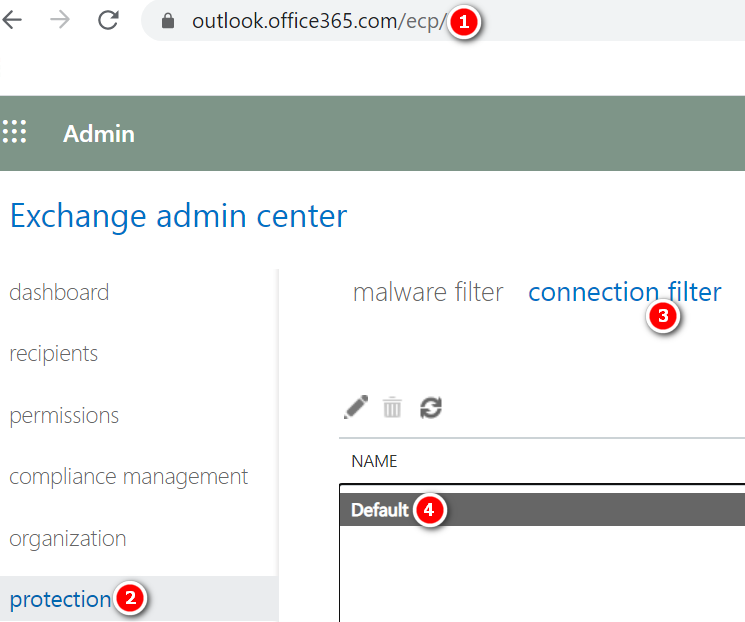
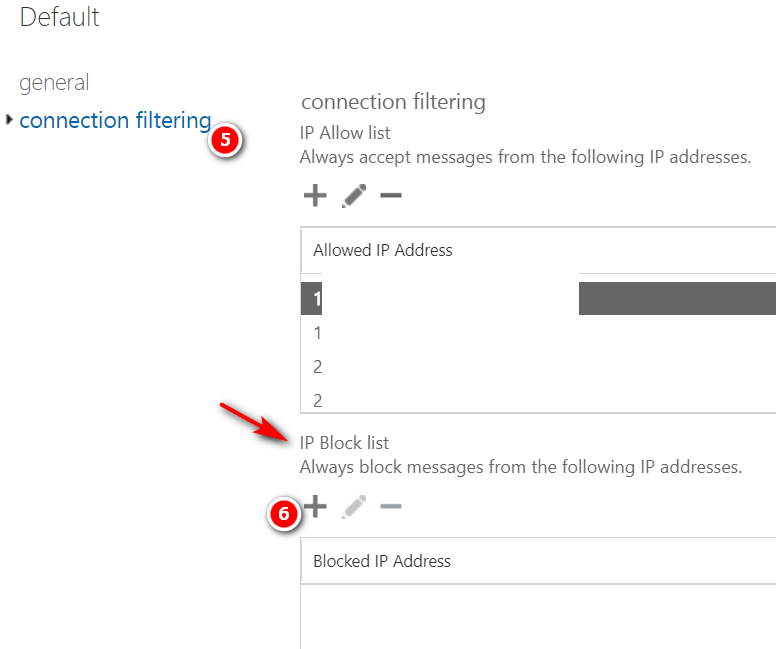
Steps to Block an IP address in Office 365Open https://outlook.office365.com/ecp/Protection -> Connection filter -> Default -> Connection filtering ->Add the IP address under IP Block list -> Ok ->Save Previous Post How to Block list a Domain in Office 365 Next Post How to Whitelist an IP in Office 365 Related PostsSearching the audit log in O365MxClourProApril 12, 2021Enabling auditing in your O365 tenantMxClourProApril 12, 2021Creating a transport rule to bypass safe attachments in O365MxClourProApril 12, 2021Leave a ReplyCancel ReplyYour email address will not be published. Required fields are marked * Name * Email * Website Add Comment * Save my name, email and website in this browser for the next time I comment.Post Comment