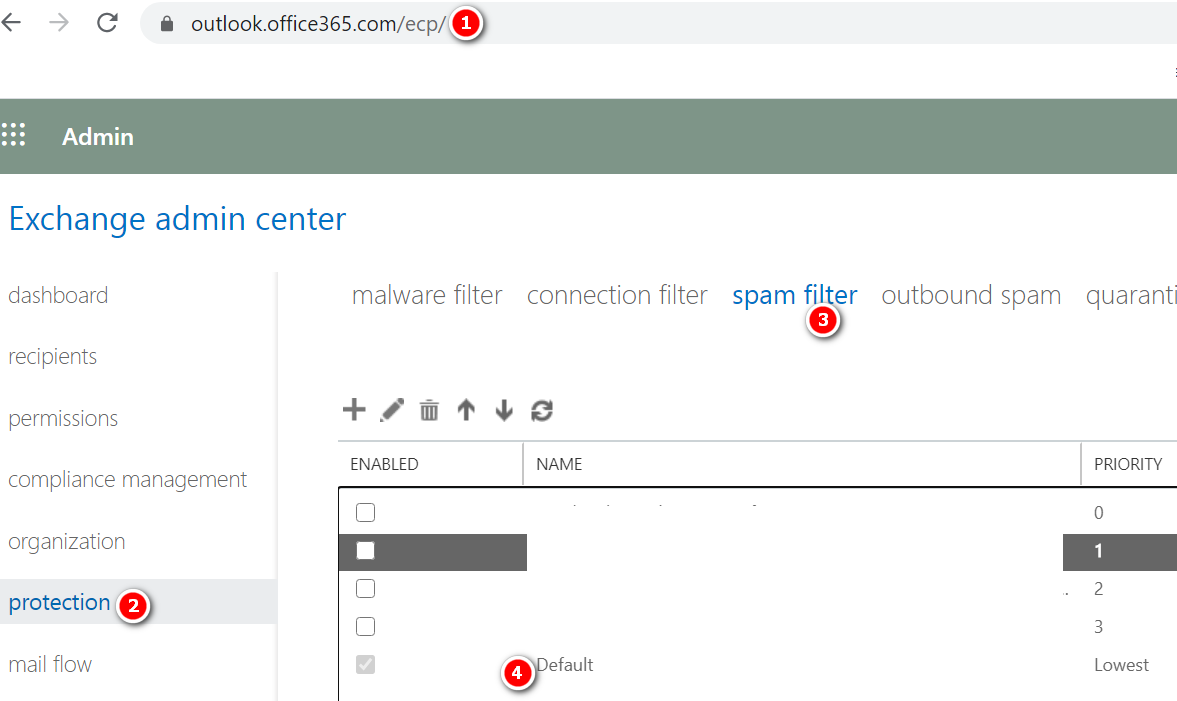
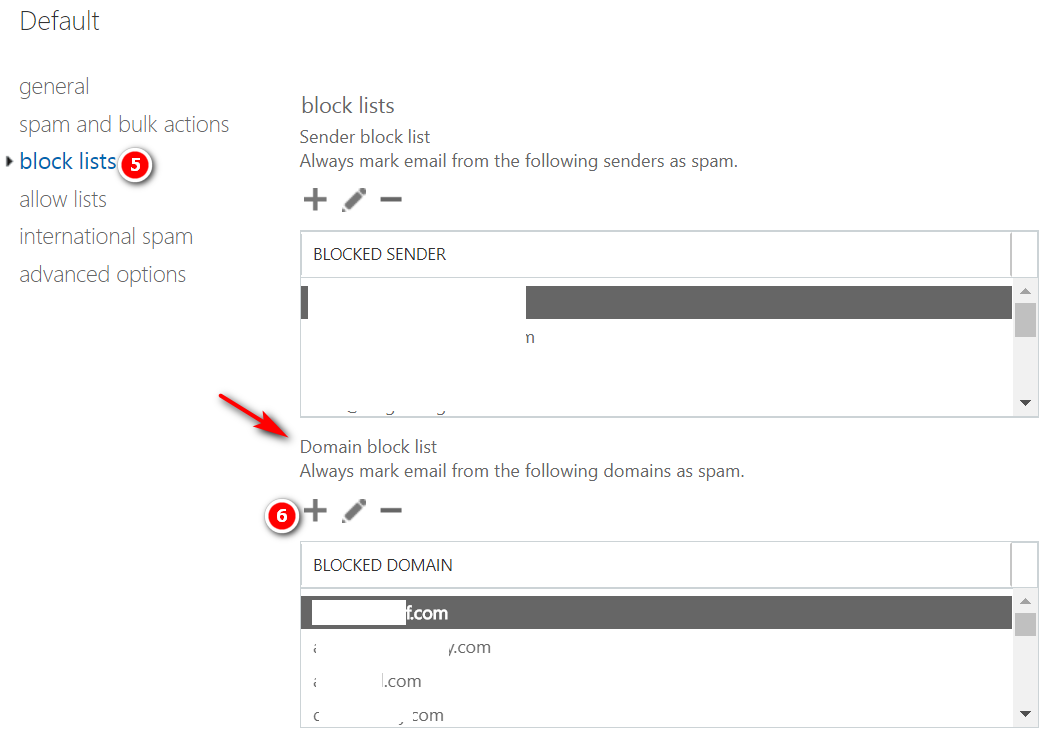
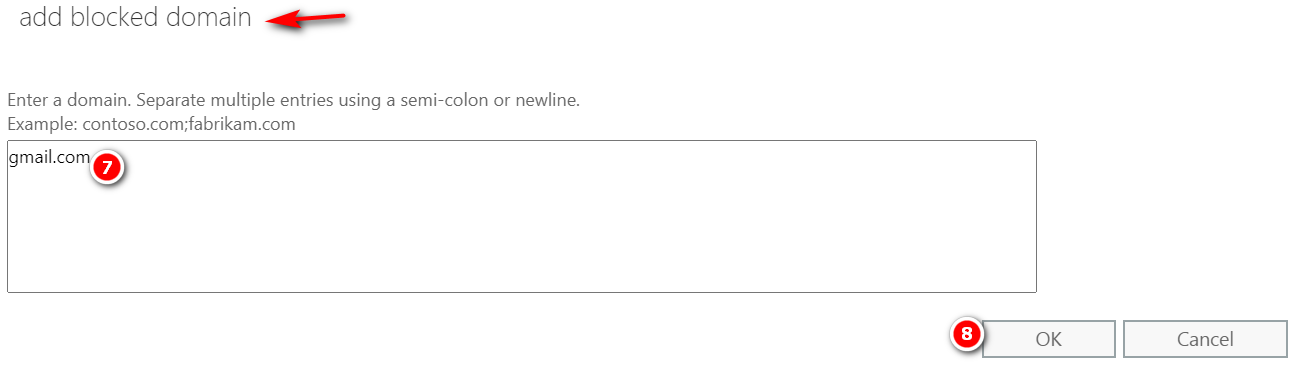
Steps to Block list a Domain in Office 365Open https://outlook.office365.com/ecp/Protection -> Spam filter -> Default -> Block lists ->Add the sender domain under Domain block list -> Ok ->Save Previous Post How to Block list an email address in Office 365 Next Post How to Block an IP in Office 365 Related PostsSearching the audit log in O365MxClourProApril 12, 2021Enabling auditing in your O365 tenantMxClourProApril 12, 2021Creating a transport rule to bypass safe attachments in O365MxClourProApril 12, 2021Leave a ReplyCancel ReplyYour email address will not be published. Required fields are marked * Name * Email * Website Add Comment * Save my name, email and website in this browser for the next time I comment.Post Comment